Every WordPress site collects pages that nothing links to. A post that fell off the blog index two years ago. A landing page built for a campaign that has long since ended. A URL WordPress generated automatically the moment you uploaded an image. These are orphan pages, and the standard advice for them is one line: find them, fix them.
That advice is not wrong, it is incomplete in the two places that decide whether the work is worth doing. Most methods cannot actually find every orphan on a site, they each miss a different set. And most of the orphans they do find should be left exactly where they are. This article handles both: the detection method built on a complete inventory rather than a partial one, and the triage step that separates the orphans worth fixing from the ones that are supposed to exist.
- An orphan page is one no crawler can reach by following internal links from your homepage. The usual cost is not invisibility, it is that Google reads zero internal links as near-zero importance.
- No single detection method is complete. Search Console only knows pages Google already found, a crawl-and-sitemap diff only finds orphans already in your sitemap, server logs need access many hosts make awkward.
- The method that closes the gap on WordPress: take the full published-page list from WordPress itself, through the REST API or the database, then subtract every URL a crawl can reach.
- Most orphans are not problems. Triage into three buckets: fix it, leave it alone, or remove it.
- A raw orphan count overstates the real work. The worked example below turns 38 reported orphans into 9 that genuinely need a link.
What counts as an orphan page
An orphan page is a page on your site that no other page links to, so a crawler that starts at your homepage and follows real HTML links can never reach it. The defining property is simple: its inbound internal link count is zero.
It helps to separate that from two things it is often confused with. A noindexed page is not an orphan: Google will not index it, but it can still be linked and crawled normally. A page missing from your XML sitemap is not an orphan either, because the sitemap affects discovery, not internal linking. Orphan status is purely about whether other pages on your own site link to this one.
Treat it as the zero end of a spectrum rather than a binary. A page linked only from page fourteen of your blog pagination is technically reachable, but a crawler reaches deep pagination rarely and a reader almost never, so it behaves like an orphan. Zyppy’s analysis of 23 million internal links found that pages with only 0 to 4 inbound internal links averaged around two Google clicks, a small fraction of what well-linked pages earned. These near-orphans sit one notch above true orphans, and they need a slightly different check that the detection section comes back to.
Not every link rescues a page from orphan status. A link that exists only in JavaScript a crawler does not run, or only on a page that is itself noindexed, does little. The thing that counts is a plain HTML link from an indexable page.
The cost of an orphan splits into two harms, and conflating them is what muddles most advice. The first is discovery. Google’s own documentation describes following links from one known page to another as a primary way it finds new pages, a category or hub page pointing to a fresh post. A page with no inbound internal link, also missing from your sitemap and without external backlinks, has none of those routes, so Google may not find it at all. If the page is in your sitemap, Google can still discover and index it, which means an orphan in your sitemap is usually not hidden. The second harm always applies: internal links are how Google judges which of your pages you treat as important, and a page with zero of them is signalling that you do not rate it. It also receives no internal link equity. SearchPilot’s controlled split tests put a number on the reachability side of this. When a retailer added links between category pages that had previously been reachable only through the main navigation, organic traffic to them rose about 25%. SearchPilot framed that as a crawl-path and information-architecture win, not a raw link-count one. A page does not have to be a true orphan to be starved, it only has to be hard to reach. The honest summary is that an orphan in your sitemap is not invisible, it is starved, and that distinction is what makes triage possible later.
Why WordPress produces orphans
WordPress is unusually efficient at manufacturing orphans, because several of its defaults create URLs faster than anyone links to them.
The most common case is not a true orphan at all, it is a near-orphan created by pagination drift. A new post is linked from the homepage and the blog index. As newer posts publish it slides down the pagination, from page two to page five to page fourteen. It still has a link path, the pagination, and it is usually still in the sitemap, so a crawler can reach it and it is not technically orphaned. But deep pagination pages are crawled rarely, and nothing else links to an ageing post, so its real internal link support trends toward zero. It behaves like an orphan: barely crawled, almost no internal link equity. A true orphan is the sharper version of the same decay.
Attachment pages are true orphans by birth. Every image you upload becomes a WordPress post in its own right, historically with its own URL. WordPress 6.4 changed the default: sites created on 6.4 or later disable attachment pages and redirect them to the image file. But sites created before 6.4 keep their attachment pages after upgrading, so the large population of older WordPress sites still generates one thin orphan URL per uploaded image, unless an SEO plugin redirects them, which Yoast does by default.
Other true orphans come from structure. A WordPress page is not a post, it appears in no archive or feed, so a page published and never added to a menu or linked from content is an orphan immediately, with no grace period. Custom post types behave the same way when they are registered without an archive and not surfaced in any menu, which is common with WooCommerce products and portfolio items. And migrations are reliable orphan factories: changing your permalink structure or rebuilding a theme routinely leaves in-content links pointing at old URLs while the new ones go unlinked.
The common thread is that orphans are rarely a mistake someone made. They are entropy. That is why the right response is a recurring check, the kind a proper internal linking audit builds in, not a single cleanup that the site immediately starts undoing.
The three standard ways to find orphans, and the blind spot in each
There are three methods most guides reach for. Each one works, and each one has a hole, so it is worth knowing exactly what every one of them misses.
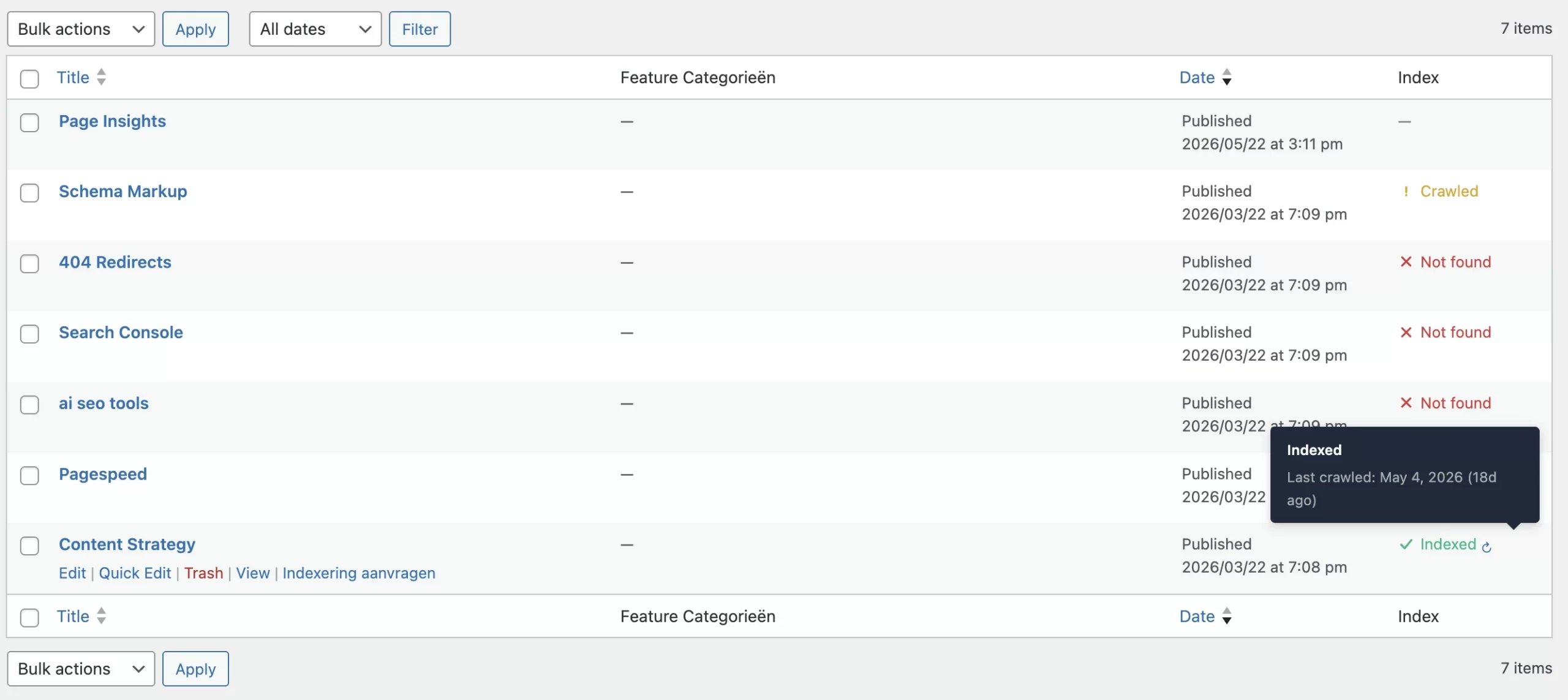
The first is the Search Console Pages report, which is free and needs no tools. Search Console has no report labelled orphans, so you work the signals. Orphan pages that Google found only through a sitemap frequently collect under the status “Discovered, currently not indexed”: Google has the URL on file but has not crawled it. Google’s own description ties that status to crawl scheduling rather than to your link structure, so treat it as a place orphans tend to gather, not as an orphan report. For any individual suspect URL, the URL Inspection tool, run against the indexed version, shows two discovery fields, “Sitemaps” and “Referring page”. A URL that shows a sitemap and no referring page is a strong orphan candidate, though not proof, because Google notes the tool does not always surface a referring page it knows about. The blind spot is fundamental: Search Console only knows pages Google has already discovered. A page that is orphaned, missing from your sitemap and without backlinks may never appear in Search Console at all, so the method structurally cannot show you the orphans that are hidden best. It is also a manual, URL-by-URL inspection, impractical past a few dozen candidates.
The second is the crawl-and-sitemap diff, the method most tool tutorials reach for, and the one to know the access cost of up front. In Screaming Frog this is a paid workflow: the free version cannot do it, because it locks the configuration options and the Analytics and Search Console integrations the method depends on. With a licence, open Configuration, then Spider, then Crawl, and enable “Crawl Linked XML Sitemaps”, choosing either “Auto Discover XML Sitemaps via robots.txt” or “Crawl These Sitemaps” to name the file yourself. Connect the Google Analytics and Search Console APIs under Configuration, API Access, so the tool can also flag orphans that still get traffic. Crawl the site. When it finishes, run Crawl Analysis, then Start, from the menu. This is the step people most often forget. The orphan data is calculated after the crawl, and it does not populate without that step. The results land under an “Orphan URLs” filter that appears in three tabs, Sitemaps, Analytics and Search Console, one per discovery source. The Reports, Orphan Pages export combines all three into one file. The blind spot: a sitemap-based diff only finds orphans that are in your sitemap. An attachment page, a forgotten campaign landing page, a post your SEO plugin excluded from the sitemap, none of these are visible, because the tool has no record they exist. The diff is only as complete as your sitemap, and the sitemap is precisely the thing that tends to leave orphans out.
The third is server log analysis, the most complete picture of which URLs actually exist and respond. A log file lists every request your server answered, every URL a real user or Googlebot ever hit. Compare the logs against your internal-link crawl, and any URL that returned a 200 the crawl never reached is an orphan candidate, including URLs in no sitemap. Screaming Frog’s Log File Analyser, a separate tool from the crawler, does this with its “Not In URL Data” filter once you import the crawl, and plain grep on the access log works too. The blind spot is access: managed WordPress hosts vary, some give you logs freely and some make you request them, and shared hosting often hides them behind cPanel raw logs that rotate away quickly. A page nobody visits will barely appear in the logs either, so this method is strongest for orphans that still attract some traffic.
The pattern is the point. Search Console misses what Google never found, the sitemap diff misses what the sitemap omits, the logs miss what gets no traffic and need access you may not have. Run only one and you will confidently report a clean site that is not clean.
The method that closes the gap: a full inventory diff
There is a fourth approach, and on WordPress it is the most complete one, because it does not depend on Google, on your sitemap, or on traffic. It starts from the one source that knows your pages for certain: WordPress itself.
WordPress holds the authoritative list of every published URL in its database. You do not have to crawl to discover that list, you can ask for it directly through the REST API:
GET /wp-json/wp/v2/posts?per_page=100&status=publish
GET /wp-json/wp/v2/pages?per_page=100&status=publish
The per_page value maxes out at 100, so page through the results with the page parameter until you have them all; the X-WP-TotalPages response header tells you how many pages to expect, and each result carries the page’s permalink in its link field. Repeat for any custom post types and you have an inventory of every post and page WordPress will serve, with nothing on the list depending on your sitemap, on Google, or on traffic.
One honest limit. The REST API only returns a custom post type if it was registered with REST support, the show_in_rest flag, and most but not all plugin-created content sets it. So a REST-built inventory has one small blind spot that the WordPress database itself does not. For an ordinary blog, posts and pages, the REST inventory is complete; if a site leans heavily on custom post types, read the list straight from the database, where there is no gap at all.
Then run an ordinary internal-link crawl from your homepage, the set of every URL reachable by following real HTML links. A plain crawl needs none of the paid integrations from the previous method, the free SEO Spider handles it for sites under 500 URLs. Subtract the reachable set from the inventory, and what is left is your true orphans. The reason this works where the external methods do not is specific to working on a CMS. An external crawler has to discover what exists before it can judge what is unreachable. It can only ever diff against an incomplete proxy for the truth: your sitemap, Search Console, the logs. WordPress does not have that limitation. The list is already in the database. The orphan question on a WordPress site is therefore not “what pages exist”, that is known, it is only “which known pages does a crawl fail to reach”.
One layer this diff will not show you is the near-orphans. A post linked only from page fourteen of your pagination is still reachable, so the crawl finds it and the diff clears it, even though it has almost no internal link support. To catch those, sort your crawl by inbound internal link count, the inlinks figure every crawler records, and read from the bottom: the pages sitting on one or two inbound links are the next tier of work after the true orphans.
Triage: most orphans are not problems
Finding orphans is the easy half. The half that wastes time is treating the result as a to-do list, because most of it is not.
Here is a clearly labelled realistic scenario, representative of a content site rather than one specific client. A 180-post WordPress blog with 12 standalone pages. The inventory method returns 192 content URLs. The internal-link crawl reaches 154 of them. The diff reports 38 orphans.
Thirty-eight sounds like a serious problem. Triaged, it is not. The 38 sort into three buckets.
The first bucket is remove or ignore, and it holds 25 of the 38. These are attachment pages. The site was built before WordPress 6.4 disabled them by default and never had an SEO plugin redirect them, so every uploaded image left a thin URL behind. They carry no content worth ranking and should never have been URLs. The fix is not a link, it is to stop them existing: set your SEO plugin to redirect attachment URLs to the file, and drop them from the sitemap. Twenty-five of the 38 orphans disappear, and not one of them needed an internal link.
The second bucket is leave them alone, and it holds 4. Two paid-search landing pages, a newsletter thank-you page, and a gated-content confirmation page. Every one of these is supposed to be an orphan. You do not want them in organic search, they exist for a paid or transactional flow, and the correct state for them is orphaned and noindexed, ideally out of the sitemap too so they stop appearing in reports. Linking to them would be the actual mistake.
The third bucket is fix them, and it holds the remaining 9. Nine genuine posts, all of them content you would want to rank. Some lost their only inbound link when an older roundup post was unpublished or a category was restructured, others were carried over in a past migration and never linked from the new content. These are the real orphans, and these are the ones that get links.
The collapse from 38 to 9 is the lesson. A raw orphan count is a measurement, not a workload. Hand a client the number 38 and you have alarmed them about 29 pages that need no work at all. The real deliverable is the triaged 9, the one-line plugin setting that clears the 25, and the note that the 4 are already correct.
Fixing the orphans worth fixing
For the pages in the third bucket, a link is necessary, but the kind of link decides whether it helps.
Link from relevance, not from convenience. The instinct is to drop the orphan into the footer or a sitewide “recent posts” widget. Both are boilerplate links that appear on every page, and Google discounts boilerplate heavily, so they barely move the importance signal you are trying to send. The link that counts is an editorial, in-content link from a page that is itself well linked and topically related to the orphan. One in-content link from a relevant, healthy page outweighs ten footer links.
Fix the structural cause, not only the symptom. Link decay is a recurring force, not a single event: posts lose links when roundups are unpublished and categories are restructured, and they drift into deep, weak pagination links as the blog grows. Fix today’s orphans and next year’s posts will arrive in the same place. The durable fix is structural: a hub or pillar page for each topic that links down to its supporting posts and is itself kept well linked, so a post’s inbound path no longer depends on how recently it was published. That hub-and-spoke structure is the subject of internal linking strategies that actually work, and it is what stops orphans regenerating.
Give the page a stable archive path too. Assign the post to an appropriate category, and make sure that category archive is indexable and linked from your navigation or a hub. An archive link is not a replacement for an in-content link, but it gives the page a second, durable route in.
Then recheck. Recrawl timing varies widely, from a few days to several weeks, with no fixed window. Re-run the inventory diff after the next crawl cycle to confirm the orphans you linked are now reachable. On sites where link decay is constant, this loop is worth automating rather than repeating by hand.
How TamRank helps
TamRank Free detects orphan pages from inside WordPress. It compares the published page inventory with the contextual links it can read in the content, so it is not limited to URLs that happen to appear in a sitemap or an external crawl.
Detection is still not the same as priority. Some orphaned URLs should be linked, some should be consolidated or removed and others can safely remain alone. Links stored in an unsupported page builder, navigation or another non-content field may also need manual review.
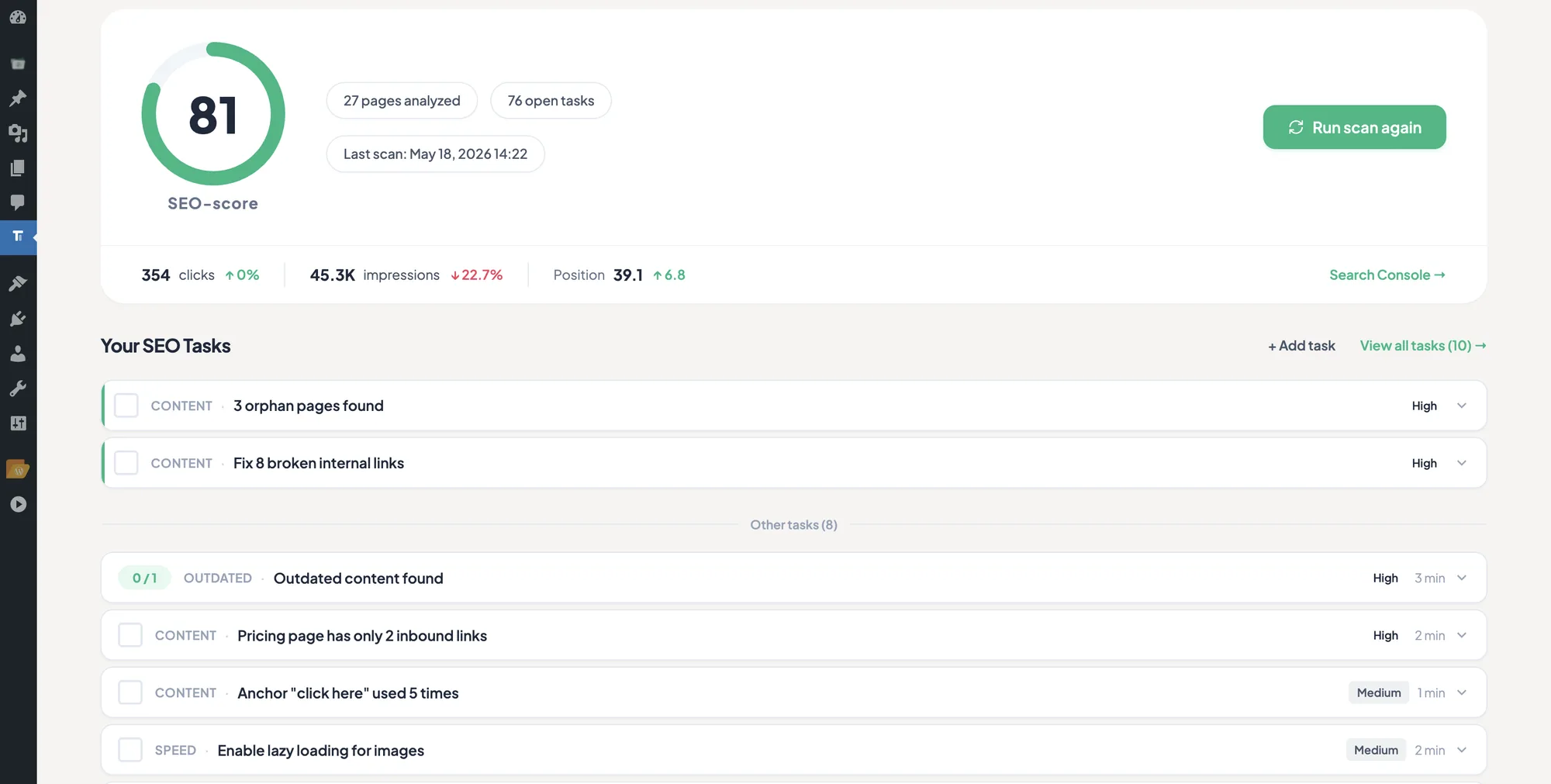
TamRank PRO adds the triage layer. It combines the orphan signal with Search Console reach, page importance, confidence and likely effort, so the work queue can distinguish a valuable forgotten page from harmless clutter. Start with the free orphan-page scan, or see how PRO prioritises the pages worth acting on.
What people ask
What is an orphan page in SEO?
A page on your site that no other page links to internally, so a crawler following links from your homepage can never reach it. It can still be indexed if it is in your sitemap or has external links, but with zero internal links Google has no signal that you consider the page important, and it receives no internal link equity.
Are orphan pages bad for SEO?
Some are, many are not. An orphan page you want to rank is a real problem, because it is starved of the importance signal and the equity internal links carry. But an orphan thank-you page, confirmation page or paid-campaign landing page is working as intended and should be left alone, usually noindexed. Triage before you fix.
How do I find orphan pages on WordPress?
The most complete method is to pull the full list of published posts and pages from the WordPress REST API, then subtract every URL a crawl of your site can reach by following links. What remains is your orphans. A crawl-and-sitemap diff in a tool like Screaming Frog is quicker to set up, but it only finds orphans already in your sitemap, and in Screaming Frog it is a paid feature.
Will Google index an orphan page?
It can. If the page is in your XML sitemap or has an external backlink, Google can still discover, crawl and index it, because the sitemap handles discovery. What an orphan loses is not necessarily indexation, it is the internal-link signals that tell Google the page matters, so it tends to rank weakly even when indexed.
Should I delete orphan pages?
Only the ones with no value. Auto-generated attachment URLs and genuinely obsolete pages are worth removing or redirecting. A page with useful content that is simply unlinked should be fixed with an internal link, not deleted. Decide by the page’s value, not by its orphan status.
The bottom line
Orphan pages are not a crisis, and they are not a checklist item either. They are entropy. WordPress generates them faster than anyone links them, through pagination drift, attachment URLs and pages left out of the menu, so the right response is a recurring check rather than a one-time cleanup.
Find them properly first. The inventory diff, the full WordPress page list minus everything a crawl can reach, is the one method built on a complete inventory rather than a partial proxy for it. Then triage honestly, because most of what you find will be junk to remove or orphans that are meant to be orphans, and the genuine work is the small remainder of real pages that deserve to rank and have been left starved. Link those from relevant in-content pages, fix the structural cause so they do not regenerate, and recheck after the next crawl. The complete internal linking guide covers where this sits in the wider picture, and why internal links matter more than you think covers why a connected page outperforms an isolated one in the first place.
Sources
- Screaming Frog, “How To Find Orphan Pages,” SEO Spider tutorials, including the Crawl Analysis step and the “Orphan URLs” filters. screamingfrog.co.uk.
- Google Search Central, “Page indexing report,” including the “Discovered, currently not indexed” status. Google Search Console Help.
- Google Search Central, “URL Inspection tool,” including the “Sitemaps” and “Referring page” discovery fields. Google Search Console Help.
- Google Search Central, “In-Depth Guide to How Google Search Works,” on link-following as a discovery method. Google developer documentation.
- WordPress REST API Handbook, “Posts” reference. developer.wordpress.org.
- WordPress Core, “Changes to attachment pages” (WordPress 6.4, 2023). make.wordpress.org.
- SearchPilot, internal linking SEO split-test case studies, including the Iceland internal linking test. SearchPilot case studies.
- Cyrus Shepard (Zyppy), “23 Million Internal Links: SEO Case Study” (2023). zyppy.com/seo/seo-study.

