Every few weeks a WordPress plugin promises to automate your internal linking for you: point it at your content and it links everything automatically. Part of that promise is real. Part of it produces links that quietly work against you.
This article is the honest split. Internal linking has a tedious, mechanical half that automation handles well, and a judgement half that it handles badly. Getting the line right is the whole skill. Here is where automation belongs, where it does not, and how to tell which is which.
- “Automate internal linking” means two different things: rule-based auto-linking that inserts links unattended, and AI-assisted suggestions that a human approves. Their risk profiles are opposite.
- Rule-based auto-linking is safe for stable, unambiguous terms: glossary entries, brand and product names. It is risky for everything else.
- Left unattended on general content, auto-linking manufactures the exact patterns the studies say are weak: zero anchor-text variety, repeated links, and links placed where they help least.
- Contextual editorial links resist automation because they need a judgement a tool cannot make: is this link genuinely useful here.
- The model that works is AI-assisted suggestions with human approval. The tool removes the recall work, you keep the decision.
The two things “automate internal linking” can mean
Before choosing a tool, separate the two things the word “automate” is doing, because they are not variations of one idea. They are opposites.
Rule-based auto-linking. You define a map: a keyword, and the URL it should point to. Wherever that keyword appears across your site, the plugin turns it into a link. It runs unattended, sitewide, and retroactively across old posts. No human sees the individual links.
AI-assisted suggestions. The tool reads one specific draft, finds plausible internal targets, and proposes each one with anchor text and the snippet it would sit in. A human accepts or rejects every suggestion.
The difference is who makes the final call. One inserts links with nobody in the loop. The other puts a human at the decision point. Almost every internal-linking problem caused by automation comes from using the first where the second belongs.
Where rule-based auto-linking genuinely works
Rule-based auto-linking is not bad. It is a precise tool with a narrow safe zone, and inside that zone it is genuinely useful.
The safe zone is terms that are stable, unambiguous, and always point to one obvious page:
- Glossary and definitional terms. A technical term that should always link to its definition page. The reader benefits from that link every time, wherever it appears.
- Brand and product names. Your own product name always links to its page. A partner or tool you mention often always links to the same place.
A small, curated keyword-to-URL map for terms like these is real, safe automation. The term has one meaning, the destination does not change, and the link is relevant every single time it fires. There is no judgement to make, so handing it to a rule loses nothing.
The rule that keeps it safe: keep the map small and curated. Ten to twenty genuinely unambiguous terms is automation working for you. A map of two hundred generic phrases is the next section.
Where rule-based auto-linking goes wrong
Point unattended auto-linking at general content and it does not merely fail to help. It manufactures, at scale, the patterns that internal-linking research identifies as weak. The failure modes are specific.
- It cannot read ambiguity. Map a generic phrase and the rule fires on every sense of it, including the wrong one, in contexts where the link makes no sense.
- It links the first occurrence. Auto-linkers link the first time a term appears on a page. The first mention is usually in the introduction, where the reader is not ready to leave. The genuinely useful place for a link is mid-article, at the point the reader would want more.
- It produces zero anchor-text variety. A rule maps one keyword to one anchor, so every link to that page carries the identical anchor text. Zyppy’s analysis of 23 million internal links found anchor-text variety was the single strongest signal in the data. Blanket auto-linking produces the opposite of variety by design.
- It over-links. A term that appears often gets linked often. Repeated identical links to the same page add nothing for the reader and dilute the page’s signal.
- It injects links into the wrong containers. A naive matcher will turn a string into a link inside a heading, an image caption, a pull quote, even a code sample, anywhere the characters match.
- Its targets go stale. The map does not maintain itself. Rename or retire a URL and every auto-link pointing at it breaks at once.
None of this is a tuning problem. It is what unattended matching does. The case for why these patterns matter, with the controlled-study evidence, is in why internal links matter more than you think.
Why contextual links resist automation
The internal links that actually move rankings are contextual editorial links: a link placed because, at this exact point in the text, the reader would genuinely want that page next. That placement is a judgement, and the judgement is the part a tool cannot do.
It depends on what the surrounding sentence is doing, what the reader already knows by this point, and whether the destination is the natural next step or just a topical match. SearchPilot’s controlled tests hint at why this matters: in one test, the pages that gained traffic were the ones doing the linking, which suggests the context and structure of the linking page carries real weight. A rule sees a keyword match. It does not see whether the link earns its place in the sentence.
This is not a limitation that better software removes. Deciding which links to make is the core of internal linking strategy, covered in internal linking strategies that actually work. A tool can surface candidates. It cannot decide.
AI-assisted suggestions: the model that works
The workable middle splits the job along its natural seam. The tool does the recall. The human does the decision.
Here is the seam. The tedious half of internal linking is remembering everything you have already published and finding the page relevant to what you are writing now. That is recall work, and software is genuinely better at it than you are, especially past a hundred posts. The other half, deciding whether a given link earns its place, is judgement, and that stays with a person.
AI-assisted suggestion tools sit exactly on that seam. The tool reads the draft you are writing, finds genuinely related existing pages, and proposes each as a suggestion with anchor text and the snippet it would appear in. You accept the ones that serve the reader and reject the rest.
One honest warning. AI suggestions are still suggestions. The tool will propose links that are plausible but not genuinely useful, and approval is not a formality. Rejecting weak suggestions is the entire point of the model. If you approve everything the tool offers, you have rebuilt unattended auto-linking with extra clicks.
How to QA any automated linking
Any automation, rule-based or approved AI suggestions, needs a check afterward. Run this after a rule-based pass, and as a monthly habit if you keep auto-linking switched on:
- Anchor variety. Look at the anchors pointing at an important page. If they are all the identical phrase, that is the auto-linking signature. Vary them.
- Placement. Confirm links sit in body text, not in headings, captions, or quotes.
- Density. Check that no page is over-linked and no single term is linked repeatedly within one article.
- Usefulness. Spot-check that links sit where a reader would actually use them, not only in the opening paragraph.
- Broken links. Run a broken internal link scan. Auto-link maps go stale silently, so this is not optional.
If a rule-based tool cannot be QA’d this way in a few minutes, its map is too big.
A practical setup
Putting it together, the split that uses automation well:
- Rule-based auto-linking, safe set only. A small curated map of glossary terms and brand or product names. Set it once, review it quarterly.
- AI-assisted suggestions for contextual links. Use them while drafting, and approve each one deliberately.
- Structural links stay manual. The cluster hub-and-spoke links and the deliberate routing of authority to priority pages are your highest-value links. They are worth the few minutes they take.
- Monthly QA. A broken-link scan and an anchor-variety spot check.
That is automation used properly: it removes the recall labour and the boring safe-zone work, and keeps a person on every judgement call. It does not try to remove the judgement, because the judgement is the part that works.
How TamRank handles it
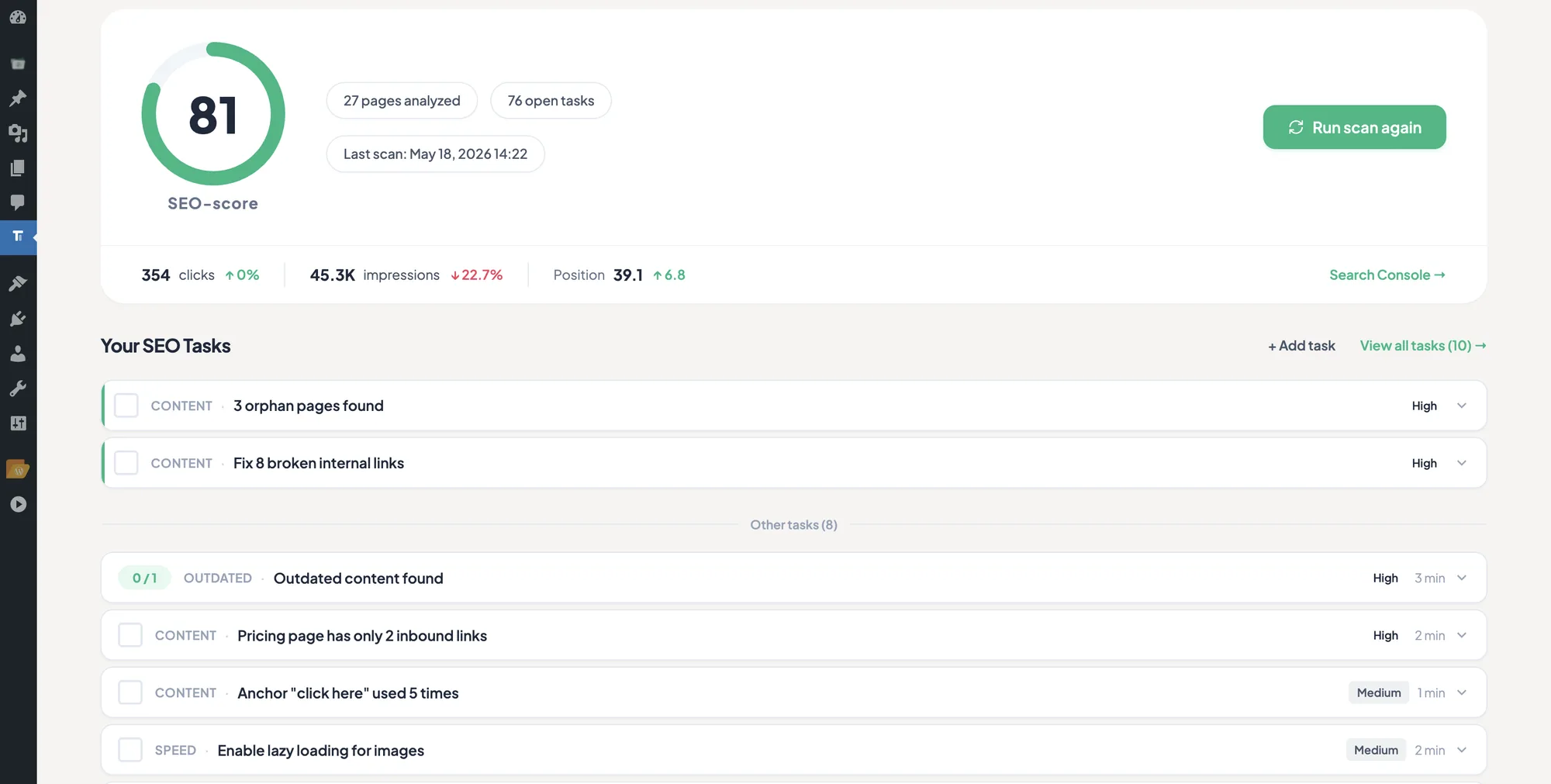
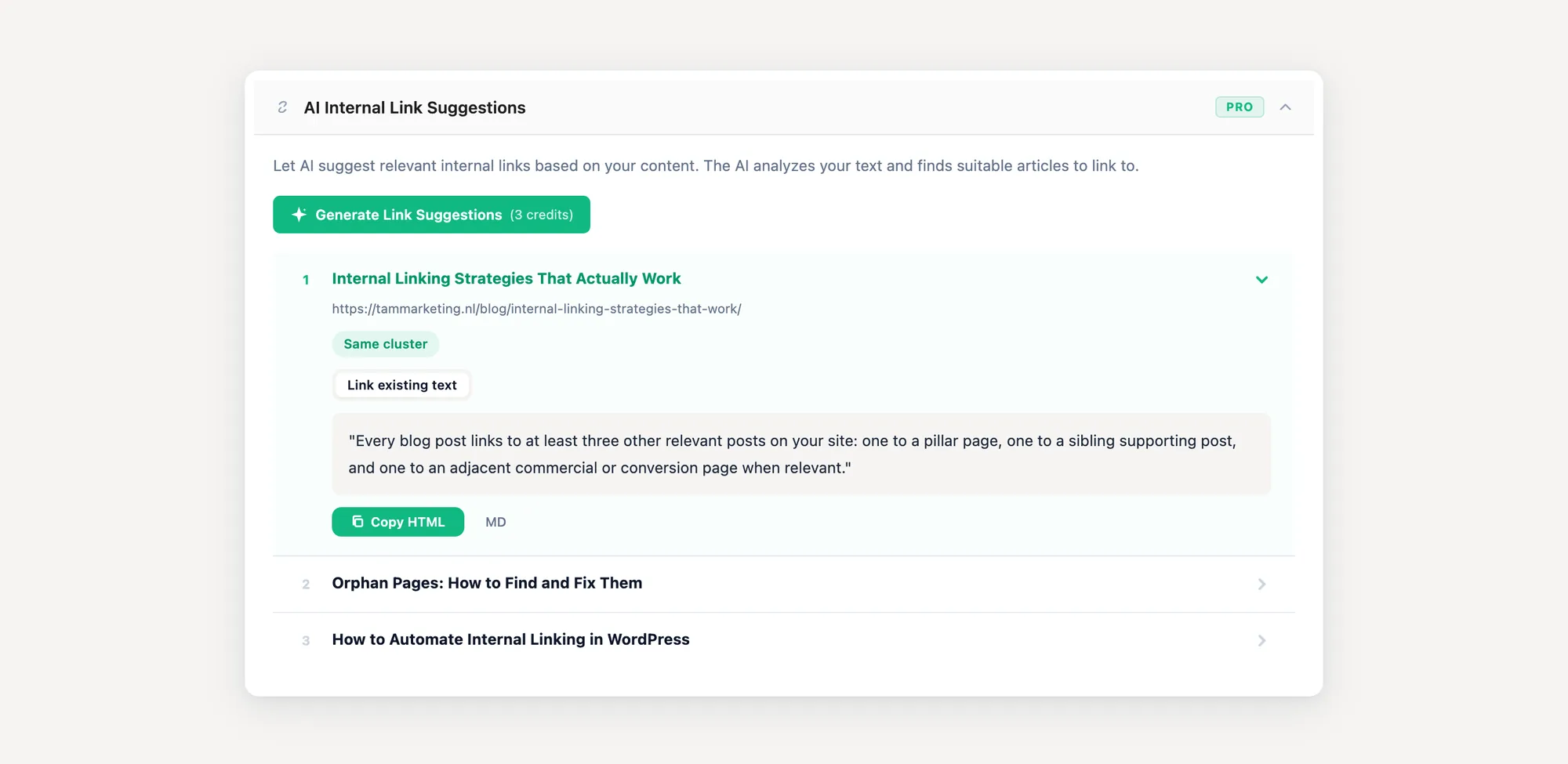
TamRank deliberately follows the suggestion and review model described above. AI Internal Link Suggestions reads the draft and the relevant published pages, then proposes a possible target and anchor text inside the WordPress editor. You decide whether the relationship is useful before adding the link.
It does not apply a keyword rule across the entire site and it does not insert links into published body content without editorial review. The automation handles discovery and recall. Context, wording and approval stay with the person responsible for the page.
For larger sites, TamRank PRO also connects internal-link findings to its work queue, so a high-value orphan or underlinked page can be reviewed before routine suggestions. See the controlled internal-link workflow in TamRank PRO.
What people ask
Is automatic internal linking bad for SEO?
Not inherently. Automating links for stable, unambiguous terms like glossary entries and brand names is fine. The damage comes from running unattended auto-linking across general content, where it produces repeated identical anchors, links in the wrong places, and over-linked pages. The tool is not the problem, using it without judgement is.
What is the best internal linking automation plugin?
It is the wrong question. No single plugin replaces the judgement of which links to make. Look for a tool that proposes internal links for you to approve rather than one that inserts them unattended, and use rule-based auto-linking only for a small curated set of fixed terms.
Can I auto-link all my old posts at once?
You can, and it is the most common way to create a mess. A bulk pass over old content has no sense of which links are useful, links first occurrences in introductions, and gives every link the same anchor. If you bulk-process old posts, treat the output as a draft to QA, not a finished job.
Does Google penalize automated internal links?
Google does not penalize a link for being automated. What it does is discount links that are irrelevant or boilerplate, and identical sitewide auto-links drift toward exactly that. The risk is not a penalty, it is that the links quietly carry no weight while you assume they do.
Should I let AI add internal links automatically?
Let AI find and propose them, not add them. A suggestion tool that waits for your approval removes the tedious recall work while keeping you on the decision. A tool that inserts AI-chosen links with no review is just faster auto-linking, with the same failure modes.
The bottom line
Automating internal linking is not one decision, it is a line you draw. On the mechanical side, recall work and a small set of fixed, unambiguous terms, automation is a genuine help. On the judgement side, deciding whether a contextual link earns its place, it is not, and pretending otherwise produces links that look like work but carry no weight.
Draw the line in the right place and a tool saves you real time. Draw it wrong and you spend a weekend generating the patterns the studies say to avoid. The complete internal linking guide covers the manual side of the work that is worth keeping.
Sources
- Cyrus Shepard (Zyppy), “23 Million Internal Links: SEO Case Study” (2023), on anchor-text variety as the strongest signal. zyppy.com/seo/seo-study.
- SearchPilot, internal linking SEO split-test case studies. SearchPilot case studies.
- John Mueller (Google), on internal anchor text and “visible effect in search,” Webmaster Central hangout, 2020. Reported by Search Engine Journal.

