Most WordPress SEO checklists are a flat wall of forty items with no sense of priority and no sense of timing. They line up “set your permalinks” next to “write genuinely useful content” as if the two were equal one-line jobs, then leave you to do all forty in a single afternoon. That is not a checklist. It is a to-do list engineered to make you feel behind.
This is the checklist built the way you would actually use one. Three sets: the one-time foundation, the checks you run on every article, and a short monthly routine. It is ordered by impact, so the handful of items that genuinely move rankings sit at the top, and it openly names the popular tasks that have no business being on it. Treat it as the action companion to the complete WordPress SEO guide; for the reasoning behind the sequence rather than the steps, WordPress SEO for beginners walks through the first month.
- A checklist is only useful when it is grouped and prioritised. The order matters more than the length.
- The one-time foundation is an afternoon of work you never repeat. Get it fully done before worrying about anything else.
- The every-article checklist is eight quick checks you run before hitting Publish. It becomes a habit within a few posts.
- The monthly checklist is five recurring tasks. This is the maintenance that keeps a site from quietly decaying.
- Several popular checklist items, keyword density, meta keywords, resubmitting to search engines, are busywork. They are not on this list, on purpose.
How to use this checklist
The mistake that makes most checklists useless is treating every item as a one-off box to tick and forget. SEO work runs on three different clocks, and each item belongs to exactly one of them.
Some tasks you do once, the week you set up the site, and then never touch again. Some you repeat on every single article, for as long as the blog exists. And some come back on a schedule, monthly for most sites. Blend all three into one list and you get that overwhelming forty-item wall. Pull them apart and the exact same forty items turn into an afternoon, a two-minute pre-publish habit, and a short monthly review. So work through the foundation set first, completely, the way you would pour a slab before framing any walls on it. Only then start running the every-article set on new posts, and add the monthly set from your second month onward.
The one-time foundation checklist
Do these once, in roughly this order, and then leave them alone. Nothing here needs repeating, and every later step quietly assumes it is already done. The settings themselves get the full treatment in the guides to WordPress SEO settings and how Google crawls WordPress.
- Set permalinks to “Post name”. Settings, then Permalinks. This gives readable, word-based URLs. Do it before publishing anything, because changing it later breaks every URL.
- Uncheck “Discourage search engines”. Settings, then Reading. If this box is ticked, nothing you do afterwards can rank. Confirm it is off.
- Install one SEO plugin. One only. Two plugins produce duplicate tags and conflicting advice.
- Pick one site address. Settle on one form, https with or without www, and make every other version redirect to it.
- Connect Google Search Console and submit your sitemap. This is your only first-party view of how Google sees the site. The Search Console setup guide walks through it.
- Noindex low-value archives. In your plugin, noindex author archives on a single-author site, date archives, loosely-used tag archives and the internal search results page.
- Set title and meta-description templates. So any page you do not optimise by hand still gets sensible, non-duplicate tags.
- Run the first audit and fix the serious flags. Your plugin will list issues. Fix the genuine ones now; ignore the cosmetic tail.
That is the whole foundation. One afternoon of work that everything after it quietly leans on.
The every-article checklist
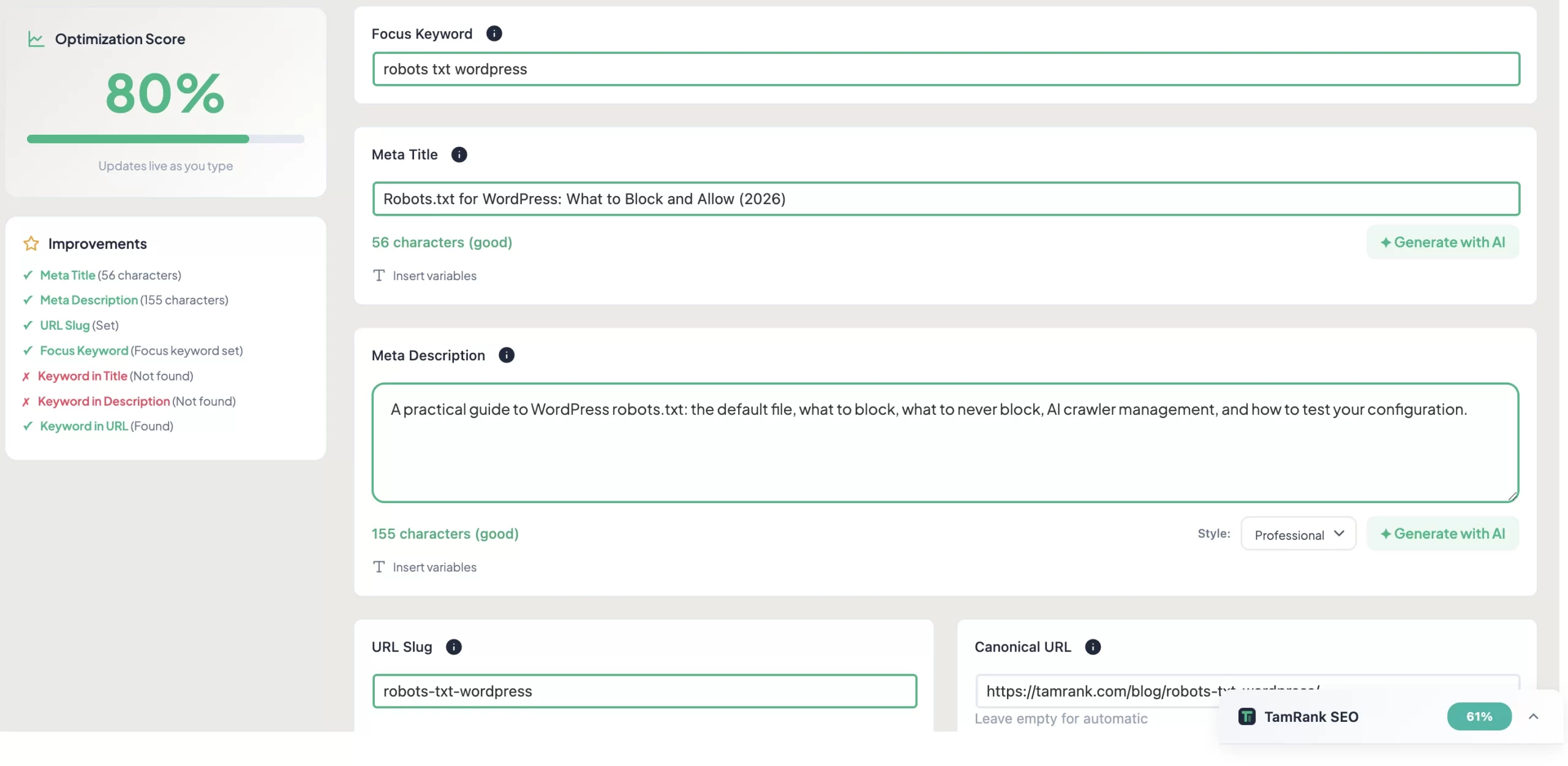
Run these eight checks on every post before you hit Publish. For the first three or four articles they feel like a drag; by the tenth your hands do them without being asked. The aim is not a perfect page. It is that nothing goes out with an obvious hole in it.
- One clear topic and target query. Decide the single question this page answers. A page that tries to cover three topics ranks well for none.
- A descriptive title with the topic in it. The page title is the biggest on-page signal and the line people decide to click. Make it say plainly what the page is.
- A written meta description. One clear sentence, around 140 to 160 characters, that tells a searcher what they get. Google may rewrite it, but a good one earns clicks.
- One H1 and a logical heading structure. One H1, then H2s and H3s in order. Headings are how both readers and Google follow the page. The dedicated heading tags guide in this cluster covers this fully.
- A readable URL slug. A few real words, hyphen-separated. Trim WordPress’s default slug if it is long or full of stop words.
- Two or three internal links. Link the new post to related existing posts, with descriptive anchor text. This is how a pile of posts becomes a connected site.
- Alt text and sensible image sizes. Describe each meaningful image in its alt text, and upload images at a reasonable file size so the page stays fast.
- The content genuinely answers the query. The real check. Would a reader arriving on this query leave satisfied? If not, no amount of tag-tweaking saves it.
The monthly checklist
From your second month on, block one hour a month for these five. This is the unglamorous maintenance that separates a site quietly compounding in the background from one slowly sliding down the results without anyone noticing.
- Review the Search Console Performance report. Compare this month with last: are impressions and clicks rising? Note any query sitting at position 8 to 15, a near-miss worth strengthening.
- Check the Pages report for new indexing problems. Look for fresh “not indexed” reasons and address them.
- Refresh one ageing article. Pick one older post that has slipped and update it: new information, removed outdated claims, a tighter answer.
- Check for broken links. Internal and outbound links rot over time. Fix or remove the dead ones.
- Glance at Core Web Vitals. If the report moves from good towards needs-improvement, investigate before it becomes a problem.
Turning that monthly data into actual decisions is a craft of its own, covered in the guide to measuring WordPress SEO performance in this cluster.
What is not on this checklist, and why
A few checklist staples are missing here, and their absence is deliberate. Each one is either long obsolete or never mattered in the first place, and every minute you spend on them is a minute stolen from the items that do.
- Keyword density. There is no target percentage. Write naturally and cover the topic; Google’s language understanding moved past counting words long ago.
- The meta keywords tag. Google has ignored it for over a decade. Filling it in does nothing.
- Resubmitting your site to search engines. Google finds and recrawls your pages on its own. There is no routine resubmission to do.
- Chasing a perfect plugin score. A green light on every check is not the goal. A genuinely useful page with a couple of amber flags beats a thin page that scores full marks.
- Pinging, article spinning, exact-match domains. Old tactics that range from useless to harmful.
A worked example: the every-article checklist on a real draft
A blogger finishes a 1,400-word draft on repotting houseplants and runs the every-article checklist before publishing. The whole pass takes about six minutes, and it catches four things.
The topic is clear, so check one passes on sight. The title, though, is still the working title, “Some Thoughts on Repotting”, which says nothing a searcher would ever type, so it becomes “When and How to Repot a Houseplant”. There is no meta description, so one gets written. The heading structure is fine. The URL slug is WordPress’s verbose default, some-thoughts-on-repotting-your-houseplants-in-spring, and is trimmed to repot-a-houseplant. There are no internal links, so two go in, one to an existing watering post and one to a soil post. And one image has no alt text, which is added.
Four fixes, six minutes, all before anything went live. Not one of them is dramatic on its own. Together they are the whole difference between a post people can find and one that sits invisible, and it was the checklist, not memory, that surfaced all four in time.
How TamRank helps
A checklist is useful for repeatable basics. TamRank Free keeps those checks in the WordPress editor, so missing metadata, heading problems and other page-level essentials are harder to forget. The score is a diagnostic summary of those checks. It is not a prediction of rankings and it does not tell you whether this page is the best use of your time.
That second question is where PRO begins. TamRank combines the issue with evidence such as Search Console movement, the importance of the page, confidence and the likely effort. A low score without reach does not automatically outrank a smaller issue on a page that already brings valuable traffic.
Use TamRank Free to make the recurring checks easier. Use TamRank PRO when the harder problem is deciding what should happen first and following the result.
WordPress SEO checklist FAQ
What is the most important item on a WordPress SEO checklist?
That the content genuinely answers the query it targets. Every technical item supports that one. Google’s own guidance says useful content influences rankings more than any other factor, so the on-page checks matter only on a page that is actually worth reading.
What SEO tasks should I do on every post?
Eight: confirm one clear topic, write a descriptive title, write a meta description, use one H1 with a logical heading structure, set a readable URL slug, add two or three internal links, add image alt text, and check the content genuinely answers the query. They take a few minutes once they are a habit.
How often should I do WordPress SEO maintenance?
Monthly is enough for most sites. Each month, review the Search Console Performance and Pages reports, refresh one ageing article, check for broken links, and glance at Core Web Vitals. An hour a month keeps a site from quietly decaying.
Do I need to worry about keyword density?
No. There is no ideal keyword density and no target percentage to hit. Write naturally and cover the topic thoroughly. Google’s language understanding moved past counting keyword occurrences long ago, and keyword stuffing now reads as a quality problem.
Is there a printable version of this WordPress SEO checklist?
The quick-reference section above this FAQ is formatted to be scanned and printed. It condenses all three checklists, one-time foundation, every-article, and monthly, into a single compact reference you can bookmark, copy into a notes app, or print and pin up. The rest of the article has the reasoning behind each item, but the quick-reference section is the checklist itself.
What is the difference between on-page SEO and technical SEO on this checklist?
The every-article checklist is on-page SEO: the elements you control on each individual page, titles, meta descriptions, headings, internal links, content quality. The foundation checklist includes basic technical items, permalinks, indexing settings, sitemaps, but the full technical SEO layer, page speed, Core Web Vitals, structured data, crawl architecture, is covered in the dedicated Technical SEO cluster of the WordPress SEO guide rather than this checklist.
Quick reference: the complete checklist
The three checklists in full, condensed for scanning, printing or copying into a notes app.
One-time foundation (do once, never repeat)
- Set permalinks to “Post name”
- Uncheck “Discourage search engines” in Settings, then Reading
- Install one SEO plugin
- Settle on one site address (https, www or non-www) with redirects from the others
- Connect Google Search Console and submit your sitemap
- Noindex author, date, tag archives and internal search results in your plugin
- Set global title and meta-description templates
- Run the first audit and fix the serious flags
Every-article (run before every publish)
- One clear topic and target query
- Descriptive title with the topic in it
- Written meta description, around 140 to 160 characters
- One H1, then H2s and H3s in logical order
- Short, readable URL slug
- Two or three internal links with descriptive anchor text
- Alt text on every meaningful image; sensible file sizes
- Content genuinely answers the query
Monthly (one hour, from month two onward)
- Review Search Console Performance: impressions and clicks trending up?
- Check the Pages report for new indexing problems
- Refresh one ageing article
- Check for broken internal and outbound links
- Glance at Core Web Vitals for new issues
The bottom line
A WordPress SEO checklist earns its keep when it respects the three rhythms of the work. The one-time foundation you do once, completely, and never again. The eight every-article checks you run on every post until they run themselves. Then an hour a month covers the five maintenance tasks. Everything else, the density targets and meta keywords and dutiful resubmissions that pad out lesser lists, you can safely leave off.
Print it, bookmark it, or paste it into whatever notes app you actually open. However you keep it, the value is in the grouping: knowing which items you touch once, which you repeat on every post, and which circle back each month. For the reasoning underneath each one, work through the WordPress SEO guide. And to have the every-article checks appear in your editor as you write, install TamRank free.
Sources
- Google Search Central, “SEO Starter Guide: The Basics,” on useful content as the largest ranking factor, submitting a sitemap, and the timescale of changes. Google developer documentation.
- Google Search Central, “Keep a simple URL structure,” on readable, word-based URLs with hyphens. Google developer documentation.
- Google Search Central, “In-depth guide to how Google Search works,” on crawling, indexing and how thin or duplicate pages compete with real content. Google developer documentation.

