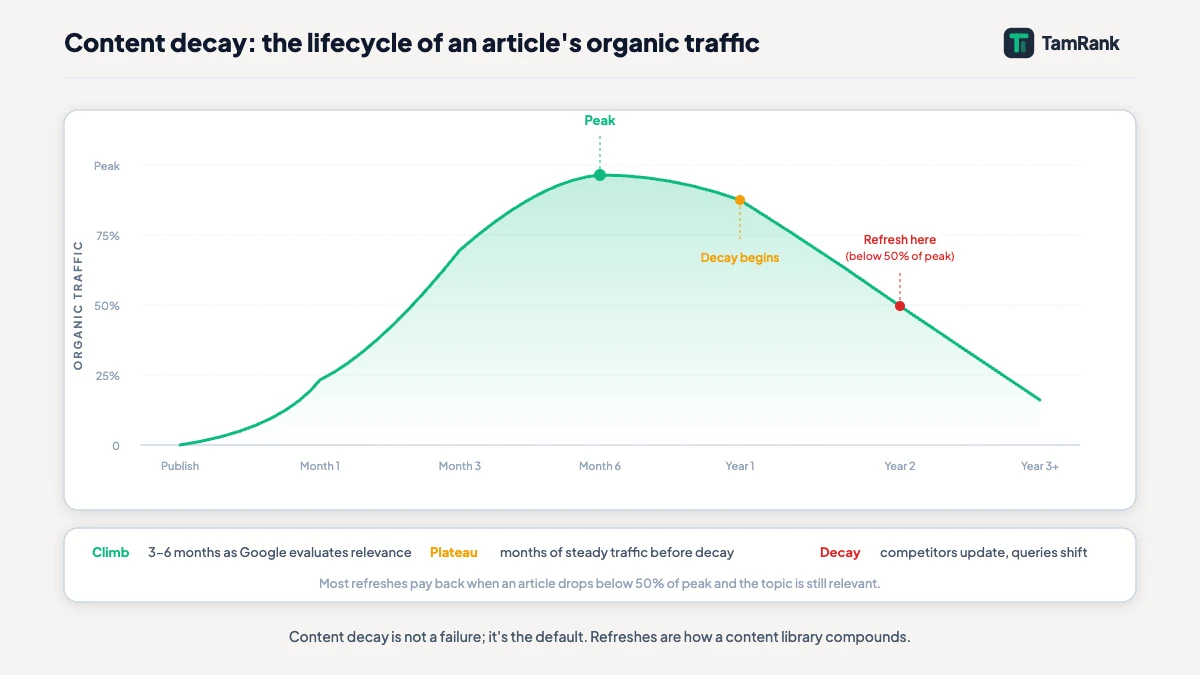
Content decay is not dramatic, and that is exactly why it is dangerous. There is no penalty, no manual action, no sudden cliff in the analytics. A page that ranked third quietly drifts to position six, then to eleven, then onto page two, over eighteen months. Nothing broke. No alert fired. By the time anyone looks, the traffic is gone and it has been going for a year.
This is the slow failure the topical authority pillar names as part of the maintenance loop, and it is the diagnosis behind the content audit’s most common verdict. When an audit marks a page “update”, decay is usually the reason. This guide is how you catch decay early, work out what is causing it, and reverse it with a refresh that actually works.
- Content decay is the gradual decline of a page that once performed. The page did not get worse; the world around it moved on.
- It is caused by the subject changing, competitors publishing, search intent drifting, and Google’s quality bar rising continuously.
- Find it in Search Console by comparing a recent period against the same period a year earlier and reading the sustained downward trends.
- Diagnose before you refresh. Not every traffic drop is decay: seasonality, algorithm updates and cannibalisation are different problems.
- A refresh is real editing, not a new date. Google’s freshness systems respond to genuine change, and changing only the publish date achieves nothing.
What is content decay?
Content decay is the gradual decline in a page’s search performance over time, on a page that used to perform well. It shows up as rankings slipping, impressions and clicks falling, and a page that was an asset slowly becoming a footnote. The defining feature is that it is slow and quiet. A penalty is sudden and obvious; decay is a drift you only see when you look back across a year.
The important thing to understand is what did not happen. The page did not get worse. Nobody edited it, nothing broke, and on the day it was published it may have been the best result for its query. What changed is everything around it. Content decay is the world moving on while a page stays still, and that reframing matters, because it tells you the fix is not to apologise for a bad page. It is to bring a page that has fallen behind back up to date.
What causes content decay?
Decay is not one problem. It is four, and a decaying page usually has more than one of them at work.
The subject moved. Facts age. A guide that was accurate at publication now names a tool that has changed, a price that has moved, or a metric that no longer exists. The clearest example is concrete: a Core Web Vitals guide written in 2023 explained how to optimise First Input Delay. On 12 March 2024, Google replaced First Input Delay with Interaction to Next Paint as a Core Web Vital. From that date, a guide still teaching FID is decaying in plain sight, factually out of date on its central point.
Competitors published. Your page did not move, but the field around it did. A competitor published something more thorough, more current, or simply better, and a page that was the best answer is now the third best. Google’s quality bar rises with it: the helpful content assessment became part of core ranking in the March 2024 core update and runs continuously, so the standard a page is held to keeps climbing even while the page stays the same.
Search intent drifted. The intent behind a query is not fixed. A query that was informational two years ago can become commercial as a market grows around it, and Google reshapes the SERP to match. A page matched correctly to search intent at publication can find the intent has moved out from under it. This cause is easy to miss because the page is still good; it is just answering a question people have stopped asking.
One nuance ties these together: decay is not evenly distributed. Google runs what it calls query deserves freshness systems, which favour fresher content for queries where recency matters. Time-sensitive subjects decay fast; genuinely evergreen subjects decay slowly. And decay now costs more than Google rankings. An Ahrefs study of 17 million citations found AI-cited content is 25.7% fresher than organic Google results, so a stale page also quietly drops out of the answers that ChatGPT, Perplexity and AI Overviews assemble.
How do you find decaying content?
Decay is invisible day to day and obvious across a year, so you find it by deliberately looking across that year. Google Search Console is the tool, and the method is comparison.
Open the Search Console performance report, set it to compare a recent period against the same period twelve months earlier, the last three months against the same three months last year, and switch the view to pages. Sort by the change in clicks. The pages at the bottom, the ones that have lost the most, are your decay candidates. Comparing the same months a year apart matters, because it cancels out seasonality: a recipe site dropping in January is not decaying, it is January.
A concrete instance shows the shape. A guide that drew 1,400 clicks across the first quarter of last year drew 620 across the same quarter this year, and its average position over that span drifted from 4 to 11. No single day explains it; the line just slopes downward. The year-on-year comparison is what turned an invisible slide into a number you can act on.
Look at the shape of the decline, not just the size. Genuine decay is a sustained, gradual slide over many months. It often shows an early warning before the clicks fall: impressions hold steady or even rise while clicks fall, which means you are still ranking but slipping down the page, or the average position drifts down a place at a time. Catching a page at that early-warning stage, before the clicks collapse, is the cheapest decay fix there is. A page that fell off a cliff on one specific date is not decaying, it is something else, and that distinction is the next step.
Before you treat a page as decayed, rule out the three things that look like decay and are not. A site-wide drop on a single date is usually a Google algorithm update, not page-level decay. A page that lost traffic to another page on your own site has content cannibalisation, a different problem with its own fix, covered in the guide to cannibalisation in this cluster. And a query whose own search volume has collapsed is not a page that decayed, it is a topic that did, and no refresh brings that back. Decay is specifically the page that slid while its query stayed healthy and nothing else explains it.
How do you refresh a decaying page?
A refresh starts with a diagnosis, not with editing. For each decaying page, work out which of the causes above is responsible, because the cause decides the fix. A page decaying because its facts aged needs different work from one decaying because the intent drifted.
Once you know the cause, the refresh is targeted editing. Correct what is now wrong: the dated facts, the renamed tools, the superseded metrics. Add what is missing: the developments, the questions and the subtopics that have emerged since publication. Re-align the page if the intent has shifted, which can mean changing the format, not just the words. And lift it against what now ranks: read the current top results and make the page genuinely better than them, because that is the bar it actually has to clear.
Here is the part to be blunt about. A refresh is real editing, and changing the publish date is not a refresh. Google’s freshness systems respond to genuine change in a page, and Google’s guidance on helpful content judges a page on whether it offers substantial value, not on the date in its byline. A page where only the date moved fools nobody and helps nothing. The work is the point.
Take the worked example through to the end. The 2023 Core Web Vitals guide has slid from position 3 to around 14 since INP replaced FID. The diagnosis is clear: the subject moved. The refresh rewrites the FID section around INP, updates the thresholds and the tooling, adds the detail on the FID deprecation timeline, and checks the rest of the page against the guides now ranking. That is a substantial edit, an afternoon of real work, and it is the kind of refresh that earns the position back. One honest caveat: sometimes a refresh is not enough. A page decayed past saving, or one competing with a sibling, is a job for the content audit, whose verdicts include rewrite, merge and remove. Refresh is the most common answer, not the only one.
How often should you check for content decay?
Checking for decay is a light, frequent pass, not a heavy annual one. For most sites a quarterly check works: once every three months, run the year-on-year Search Console comparison and catch the pages that have started to slide. Catching decay at three months of slide is a quick refresh; catching it at two years is a rescue.
Weight the check by exposure. The pages worth watching most closely are the ones on freshness-sensitive subjects and the ones that drive real traffic or conversions. A genuinely evergreen page on a low-traffic subtopic can wait for the annual content audit. This quarterly decay check and the annual audit are the same maintenance habit at two cadences, and run together they are what keeps a topical cluster from ageing out from underneath you.
How TamRank helps
Catching decay early means noticing a slow trend, and a slow trend is exactly the thing a person scanning a dashboard does not notice. That is work for a tool.
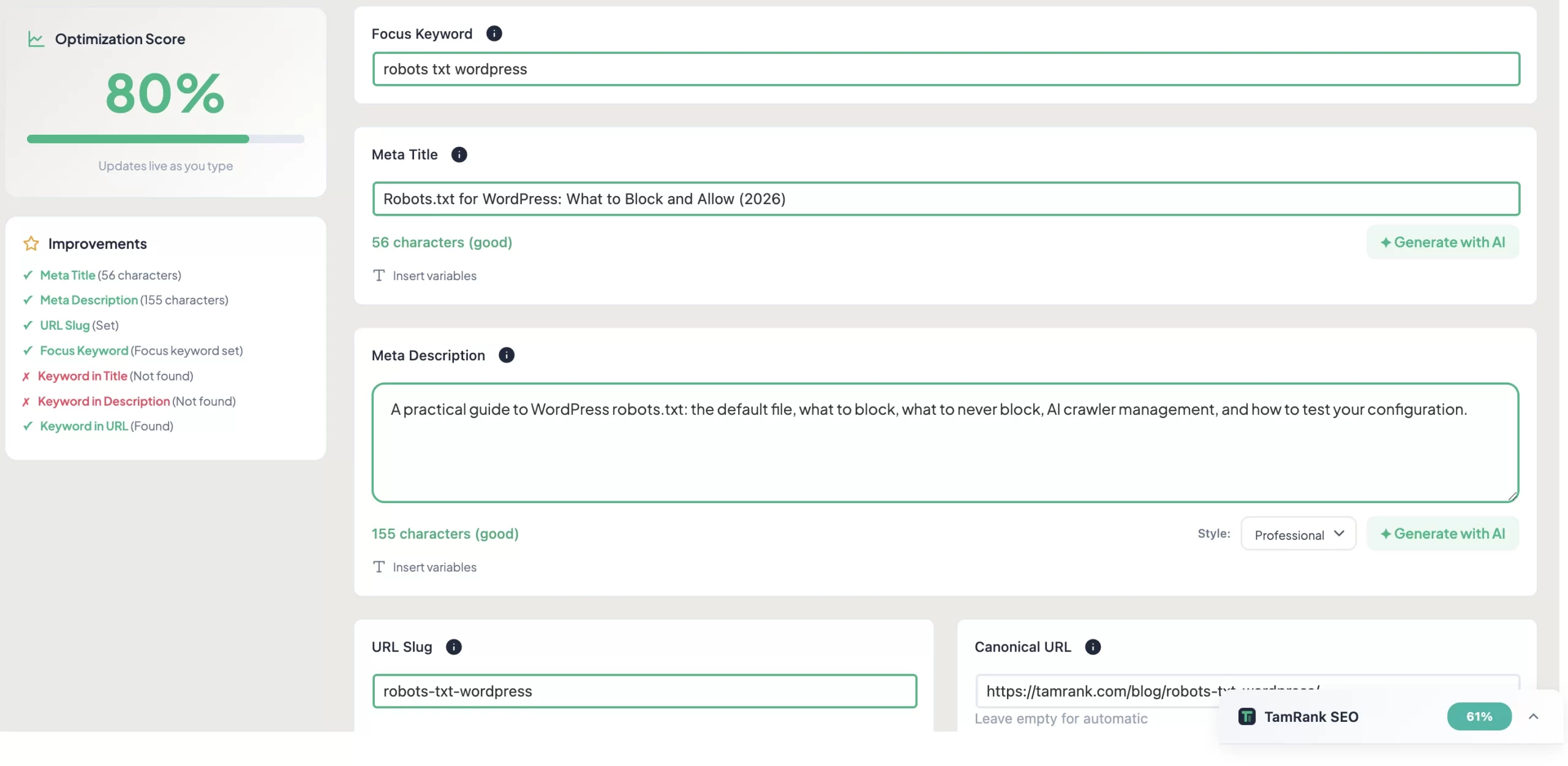
TamRank connects to Google Search Console from inside WordPress, so the year-on-year performance of every page sits next to the page itself, without exporting and comparing spreadsheets by hand. Its Change Tracker is built for the other half of this guide: it measures what happened after you changed a page, so when you refresh a decaying article you can see whether the refresh actually moved it, rather than guessing. The decay check finds the problem; the Change Tracker confirms the fix.
None of it decides what to rewrite. Diagnosing why a page decayed and doing the editing is judgement and effort, and it stays yours. What TamRank removes is the part where decay goes unnoticed for a year. You can see how it fits in the features overview or compare the free and PRO plans.
Content decay FAQ
What is content decay?
Content decay is the gradual decline in a page’s search rankings and traffic over time, on a page that once performed well. The page itself did not get worse; the subject moved on, competitors improved, and Google’s quality bar rose. It is slow and quiet, which is why it often goes unnoticed for months.
What causes content decay?
Four things, usually together: the subject changed so the facts aged, competitors published stronger pages, the search intent behind the query drifted, and Google’s quality standards rose. Decay is heaviest on time-sensitive topics, which Google’s query deserves freshness systems hold to a higher recency standard.
How do you find decaying content?
In Google Search Console, compare a recent period against the same period a year earlier and view by pages. Sort by the drop in clicks. Pages with a sustained, gradual decline are decay candidates. Comparing the same months a year apart cancels out seasonality.
Does updating the publish date help SEO?
No, not on its own. Google’s freshness systems respond to genuine changes in a page, and its helpful content guidance judges substance, not the date. Changing only the publish date without editing the content achieves nothing and can mislead readers. A real refresh is editing work.
How often should you check for content decay?
A quarterly check suits most sites: every three months, run a year-on-year Search Console comparison and catch pages that have started to slide. Weight attention towards freshness-sensitive and high-value pages. Caught early, decay is a quick refresh rather than a rescue.
The bottom line
Content decay is the quietest way to lose search traffic, because nothing visibly goes wrong. The page does not break. It just falls behind a subject that kept moving while it stood still.
The method to counter it is steady. Find decay by comparing Search Console performance year on year. Diagnose the cause before touching the page, and rule out the look-alikes: algorithm drops, cannibalisation, and queries that have simply died. Then refresh deliberately, correcting, adding and re-aligning, because Google’s freshness systems and its quality standards both respond to genuine change and ignore a moved date.
Run as a quarterly habit alongside the annual content audit, the decay check is what keeps a topical cluster from ageing out. If you want the slow slide caught before it costs a year of traffic, and the effect of each refresh measured, TamRank’s Search Console integration and Change Tracker are built for exactly that.
Sources
- Google Search Central, “A Guide to Google Search Ranking Systems,” on the query deserves freshness systems and freshness being query-dependent. Google developer documentation.
- web.dev (Google), “Interaction to Next Paint is officially a Core Web Vital,” on INP replacing FID on 12 March 2024. web.dev.
- Google Search Central, “Creating helpful, reliable, people-first content,” on judging a page on substantial value rather than its date. Google developer documentation.
- Google Search Central, “What web creators should know about our March 2024 core update and new spam policies,” on the helpful content system running continuously in core ranking. Google developer documentation.
- Ahrefs (Mateusz Makosiewicz), “Fresh Content: Why Publish Dates Make or Break Rankings and AI Visibility,” a December 2025 study of 17 million citations. ahrefs.com.

