A content cluster looks like the easiest idea in SEO. One pillar page, a ring of supporting articles, links between them. You can draw it on a napkin. That is exactly why so many clusters fail: people build the shape, publish the boxes, and wait for rankings that never arrive, because the shape was never the point.
The shape is only the container. What decides whether a cluster works is what goes inside each box: a pillar page designed to do one job, and supporting articles each designed to do a different one. The topical authority pillar covers why clusters work, and how to build a topical map covers planning one before you write. This guide is about the pages themselves: how to design the pillar, how to design the spokes, and how to wire them together.
- A content cluster is one pillar page covering a whole subject, plus supporting articles each covering one subtopic, all interlinked. HubSpot formalised the model in 2017.
- The pillar and the supporting articles are different kinds of page with different jobs. Designing them the same way is the most common reason a cluster does nothing.
- A pillar page goes broad, not deep. It covers every subtopic briefly and links to a supporting article for the depth. A useful test: is it broad enough to be an umbrella for 20 to 30 posts?
- A supporting article goes deep, not broad. It owns one subtopic completely and says something the pillar only had room to summarise.
- The structure amplifies content quality, it does not replace it. A tidy cluster of thin pages is still a cluster of thin pages.
What is a content cluster?
A content cluster is a group of pages built around one subject: a single pillar page covering the whole subject, a set of supporting articles each covering one subtopic in depth, and internal links tying them together. HubSpot, which formalised the model in a 2017 research report, describes it simply: a pillar page acts as the hub for a topic, and the pages related to that topic link back to it.
It helps to be clear what a cluster is not. It is not a topical map. The map is the plan, the list of subtopics worked out before you publish anything, covered in how to build a topical map. The cluster is what exists after you publish: real pages, really interlinked. You design the map first, then build the cluster from it. This guide is about the build.
The two page types: pillar versus supporting article
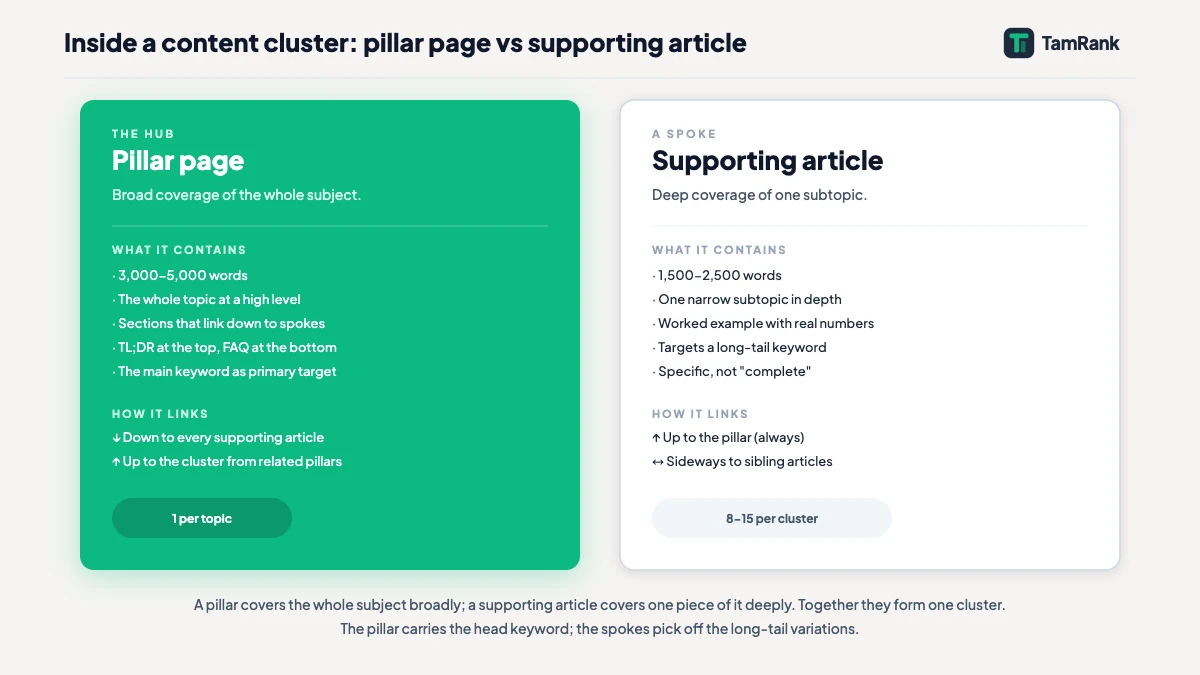
Every cluster contains exactly two kinds of page, and the single most useful habit you can build is treating them as genuinely different. They have different jobs, different scope, different lengths and different targets. Build them the same way and the cluster collapses into a pile of similar posts.
| Pillar page | Supporting article | |
|---|---|---|
| Job | Cover the whole subject, act as the hub | Cover one subtopic in depth |
| Scope | Broad, shallow on each subtopic | Narrow, deep |
| Targets | The head term for the subject | A specific, often long-tail query |
| Links | Down to every supporting article | Up to the pillar, sideways to siblings |
| Count per cluster | One | Many |
A reader should be able to land on the pillar and understand the shape of the whole subject, then click into a supporting article and get the full depth on one part of it. If your pillar reads like one long supporting article, or your supporting articles each try to cover the whole subject, you have one page type doing both jobs badly. The rest of this guide is how to design each one for its real job.
How do you design a pillar page?
A pillar page has one job: be the definitive overview of the entire subject, and the hub every supporting article connects to. Designing it well comes down to scope, structure and restraint.
Scope is the hard part, and the rule is broad but shallow. The pillar touches every subtopic in the cluster, but only summarises each one, because the depth lives in the supporting article. HubSpot’s own test for pillar scope, from contributor Leslie Ye, is worth keeping on a sticky note: would this page answer every question the reader of the head term had, and is it broad enough to be an umbrella for 20 to 30 posts? If a subject is too narrow to be that umbrella, it is a supporting article, not a pillar.
Structure follows the subtopics. The cleanest pillar layout is one section per subtopic from your topical map, in a sensible order, each section a genuine summary of two or three paragraphs that ends by linking to the supporting article for the full treatment. A clickable table of contents at the top lets both the reader and the crawler see the scope at a glance.
Restraint is what most pillars lack, and they lack it in two opposite directions. The first failure is the pillar that tries to be exhaustive, a 6,000-word page that covers every subtopic in full depth. It makes every supporting article redundant and the cluster pointless. The second is the pillar that is a thin table of contents, a few sentences and a list of links, which ranks for nothing because there is no substance for Google to assess. A good pillar is substantial in its own right and still leaves the depth to the spokes. Holding both at once is the craft.
Length follows from that balance rather than driving it. Pillars run long because the subject is broad, not because a word count was set in advance. Cover every subtopic properly and the length takes care of itself. On WordPress, a pillar is usually best published as a page or a dedicated post type rather than a normal dated post, so it sits outside the blog feed and keeps a stable, top-level URL such as /guide/employee-onboarding/.
Take a cluster on employee onboarding. The pillar, “Employee Onboarding”, carries one section on each subtopic: preboarding, the first day, the first 90 days, onboarding remote hires, manager responsibilities, paperwork and compliance, and measuring onboarding. Each section summarises its subtopic and links down to the supporting article. It passes the Leslie Ye test without trouble, because onboarding is broad enough to be an umbrella for well over 20 posts.
How do you design the supporting articles?
If the pillar goes broad, every supporting article goes deep. Its job is to own one subtopic completely: to be the page that answers that subtopic better than the pillar ever could, because the pillar only had room to summarise it.
The defining discipline is one subtopic per article. A supporting article that wanders into three subtopics ends up competing with three other articles in its own cluster. A single subtopic split across three near-identical articles is thin content wearing a structure. The test for whether two ideas are one article or two is the SERP-overlap method from how to build a topical map: if Google ranks the same pages for both queries, they are one article, not two.
Depth is the other half. A supporting article has to earn its place by saying something the pillar’s summary did not. If your remote-onboarding article only restates the pillar’s paragraph on remote hires at greater length, it adds a URL and no information. The supporting article is where the real mechanics, the worked examples and the hard parts belong. Long-tail queries are where that depth pays off first, and our guide to long-tail keywords covers why they convert better and rank sooner.
Every supporting article also carries links: up to the pillar, always, and sideways to the two or three sibling articles a reader of this subtopic would naturally want next. That is what makes the wiring in the next section possible.
In the onboarding cluster, the “remote employee onboarding” supporting article does not summarise onboarding. It goes deep on one subtopic: the equipment-shipping timeline before day one, the structured first-week video schedule, the buddy system that gives a remote hire the culture an office would have supplied. It links up to the “Employee Onboarding” pillar and sideways to “onboarding checklist” and “onboarding software”. One subtopic, covered properly.
Wiring the cluster into a hub and spoke
With a pillar and its supporting articles written, the cluster is still just a set of pages until you connect them. The connection pattern is the hub-and-spoke shape, and it has three rules. The pillar links down to every supporting article. Every supporting article links up to the pillar. And related supporting articles link sideways to each other.
Do all three and the pages stop reading, to a crawler, as separate posts and start reading as one body of work on a subject. HubSpot’s early experiments found exactly this: the more they interlinked the cluster, the better it placed in search results, and impressions rose with the number of links created.
This guide is about the cluster’s shape, not the mechanics of the links themselves. How to write anchor text, how link equity flows between pages, how many links a page should carry: that is a craft of its own, and the internal linking guide covers it in full. For the cluster, what matters is that the shape is complete. A supporting article with no link up to its pillar is a spoke detached from the hub, and a crawler has no structural reason to read it as part of the cluster at all.
Where content clusters go wrong
Most failed clusters fail in one of a few recognisable ways. Knowing them is the fastest quality check on a cluster you are about to build.
- The structure built before the content earned it. A pillar linking to 25 thin spokes is a well-organised version of the exact problem Google’s helpful content system was built to catch. That system became part of core ranking in the March 2024 core update, which Google expected to cut low-quality, unoriginal content by about 40%. Structure amplifies whatever it contains, including emptiness.
- The pillar that is a link list. A few sentences and a set of links has no substance to rank for the head term, so the hub never earns the authority a cluster relies on it to pass down.
- Spokes that compete with each other. Two supporting articles on overlapping subtopics split the signal that should sit on one page. That is cannibalisation inside your own cluster, and fixing it is a job of its own, covered in the dedicated guide to content cannibalisation in this cluster.
- Orphan spokes. A supporting article published and then never linked from the pillar or its siblings is invisible as part of the cluster. The wiring is not an optional finishing touch.
- The cluster nobody maintains. A subject moves, and a cluster that was complete at launch is partial within a year if no one revisits it.
None of these is a structural problem. They are content and follow-through problems wearing a structural diagram. The cluster shape is necessary, and it is not sufficient.
How TamRank helps you see your clusters
Designing a pillar and its spokes is judgement work, and judgement does not automate. What does automate is the check on whether the clusters you have actually hold together.
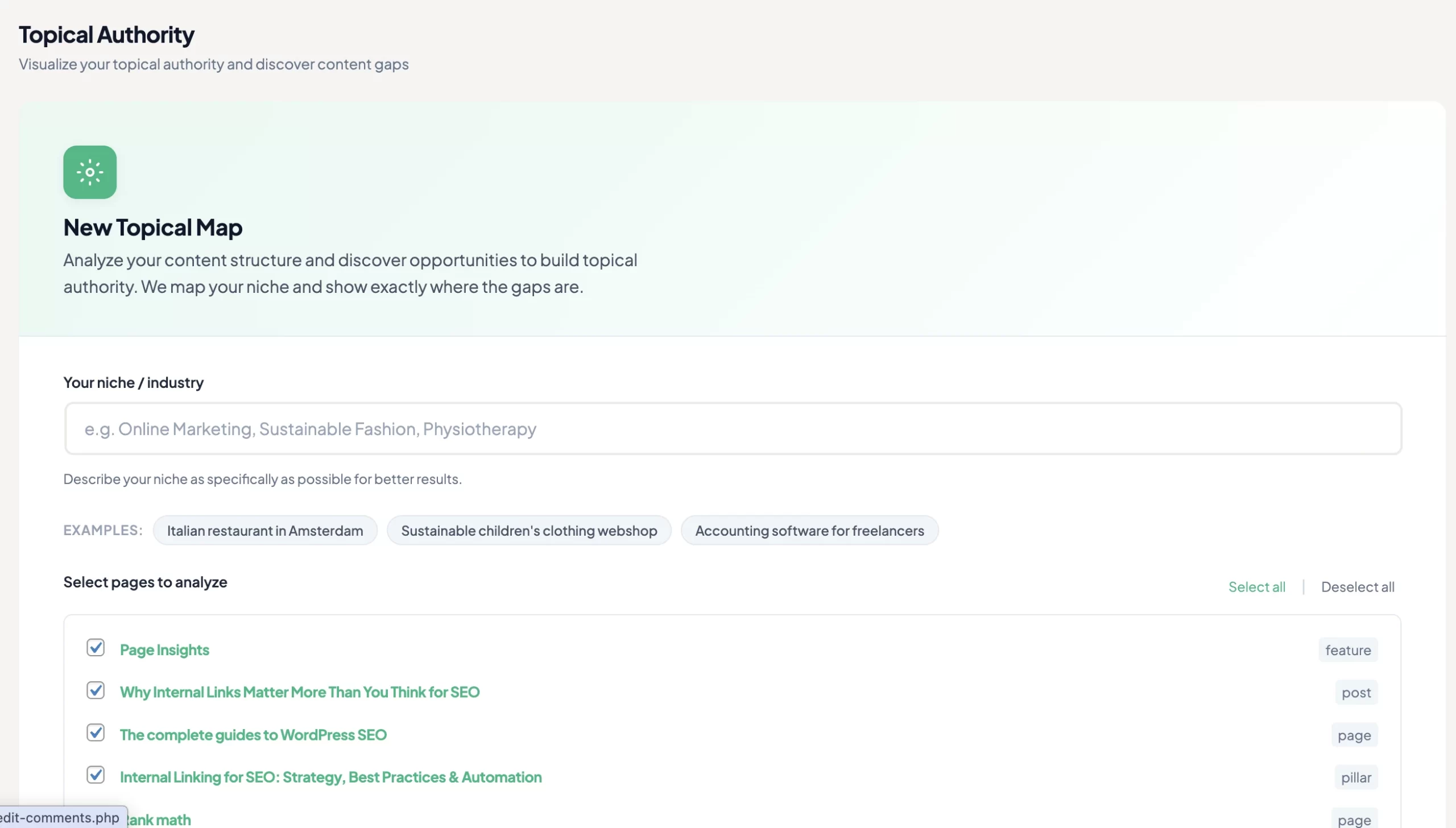
TamRank’s Topical Authority feature, part of the PRO add-on, reads your published pages and groups them into the clusters they actually form, rather than the ones you meant to build. It scores how complete each cluster’s coverage is and surfaces the two failures from the list above that are hardest to spot by eye: the thin cluster and the spokes that overlap. It runs on Claude Haiku 4.5 and uses TamRank’s predictable credit model, 10 credits per 10 pages analysed, so the cost is visible before you run it.
It will not design the pillar for you, and it does not pretend a cluster’s health is a single number. It shows you which clusters are solid and which are hollow, so the next piece of writing goes where it strengthens the structure. You can see the Topical Authority feature or compare the free and PRO plans.
Content cluster FAQ
What is a content cluster in SEO?
A content cluster is a group of pages built around one subject: a single pillar page covering the whole subject broadly, a set of supporting articles each covering one subtopic in depth, and internal links connecting them into a hub-and-spoke shape. HubSpot formalised the model in 2017.
What is the difference between a pillar page and a cluster page?
A pillar page covers the whole subject broadly and acts as the hub, targeting the head term. A cluster page, or supporting article, covers one subtopic in depth and targets a specific, often long-tail query. The pillar links down to every supporting article; each supporting article links back up.
How many supporting articles does a content cluster need?
There is no fixed number; the subject decides it. HubSpot’s scope test treats a pillar as broad enough to umbrella 20 to 30 posts, which is a useful check on whether a subject is pillar-sized, not a quota. The topical authority pillar covers why counting articles is the wrong target.
How long should a pillar page be?
Long enough to cover every subtopic in the cluster properly, and no longer. Pillars run long because the subject is broad, not because a word count was set. If a pillar covers every subtopic in full depth it has made the supporting articles redundant; if it is a few sentences and a link list it has nothing to rank.
Is a content cluster the same as a topical map?
No. A topical map is the plan: the subtopics and articles laid out before anything is published. A content cluster is the published result: the pillar page and supporting articles, written and interlinked. You build the map first, then publish the cluster from it.
The bottom line
A content cluster is not the diagram. The diagram, one pillar and a ring of spokes, is the easy part, and on its own it ranks for nothing.
What makes a cluster work is designing its two page types for their real jobs: a pillar that goes broad and acts as the hub, supporting articles that go deep and each own one subtopic, and a complete set of links down, up and sideways between them. Get those right and the structure compounds the content. Get them wrong and the structure just makes thin content tidier.
Structure amplifies quality; it never substitutes for it. If you want to see which of your clusters are solid and which are hollow before you plan the next pillar, TamRank’s Topical Authority feature groups your content into the clusters it actually forms and scores the coverage.
Sources
- HubSpot (Mimi An), “Topic Clusters: The Next Evolution of SEO,” on the topic cluster definition, the pillar-page scope test, and the interlinking experiments. blog.hubspot.com.
- Koray Tuguberk Gubur, on topical authority and treating a cluster as the coverage of a subject. Medium.
- Google Search Central, “What web creators should know about our March 2024 core update and new spam policies.” Google developer documentation.
- Google Search Central, “Creating helpful, reliable, people-first content.” Google developer documentation.

