See exactly what every page does in Google.
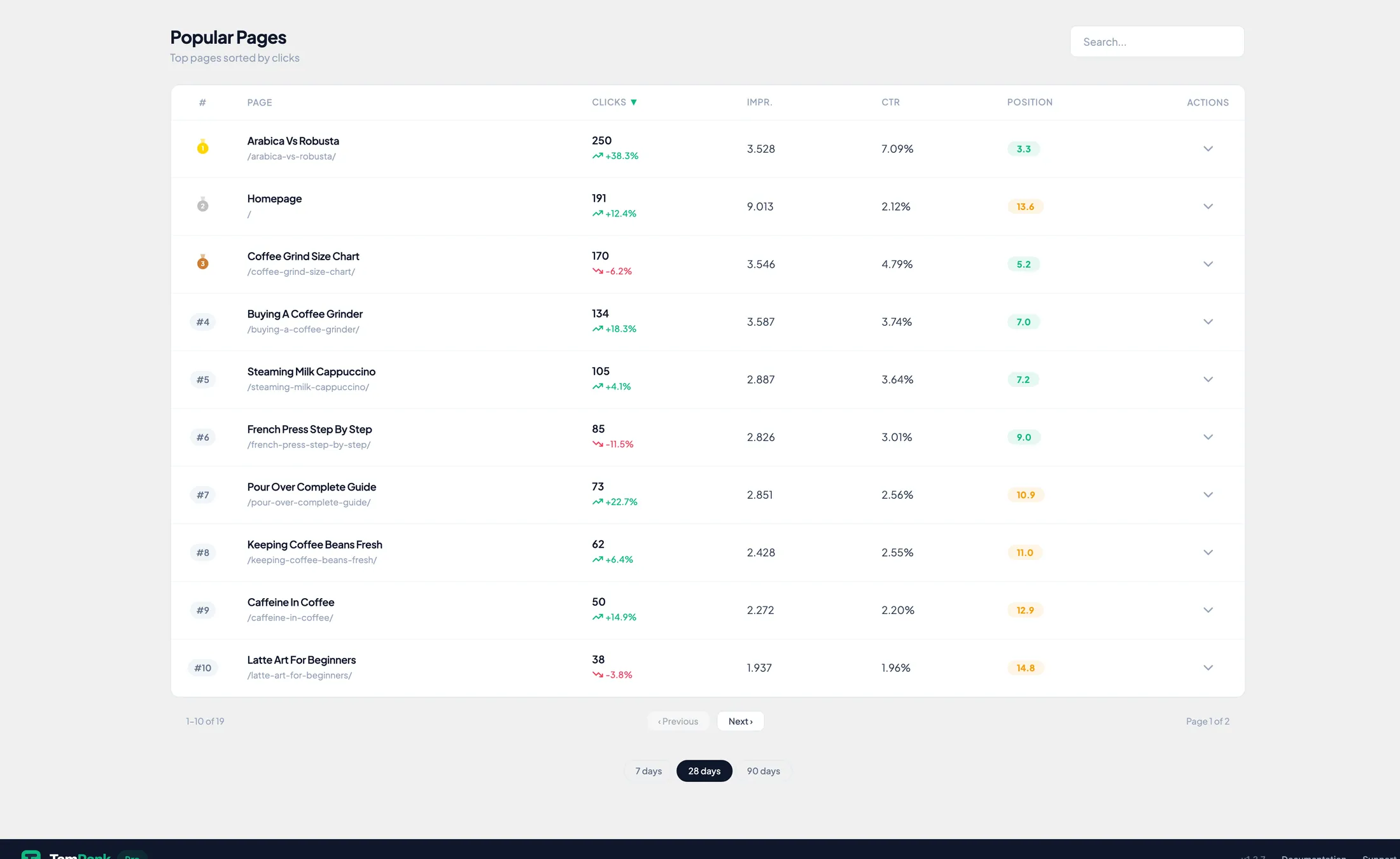
Per page: the keywords that score, whether those positions are solid or shaky, and how many clicks you leave on the table. Other tools show an average position. Page Insights shows whether that position can be trusted, and where the fastest win sits.
What's inside
Four parts, all PRO. The free plugin includes the GSC connection and a 7 and 28-day dashboard.
GSC Dashboard Extended
3, 6, 12 and 16-month periods, with the trend across each period.
PROPage Insights
Keywords, position and CTR per page, per query, across all periods.
PROPosition Stability
Stable, Moderate or Volatile per keyword, plus a gap-awareness chart over 28 and 90 days.
PROKeyword Potential
Uplift % per keyword: estimated extra clicks at a better position, with confidence tiers.
PRO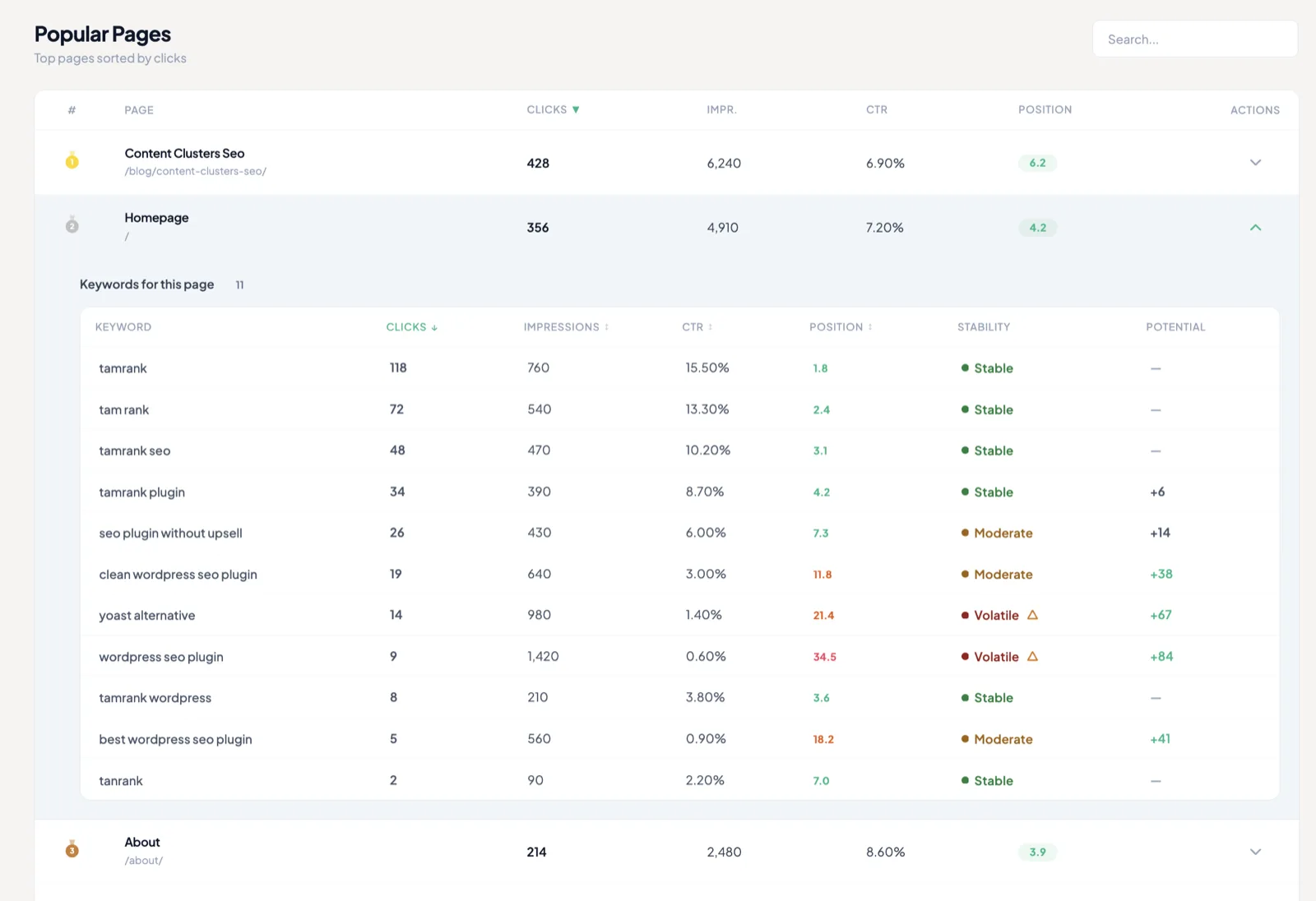
Stability + Potential
An average position hides the story.
Position 6 can mean a solid six, or a keyword bouncing between 3 and 12. The drill-down marks each keyword Stable, Moderate or Volatile, and calculates what a better position would be worth in clicks.
Volatile plus high potential is your work queue: real gains, fastest. Example data.
When you'll reach for it
A page slipped and you need to know why
Open the page, see per query where position moved, and whether the drop is real or a data gap.
The weekly report needs more than a 28-day snapshot
Up to sixteen months of trend in one view, straight from your own Search Console data.
You're choosing next week's optimization
Sort by potential, take the top rows. The uplift estimate shows which better position pays off most.
Gap awareness
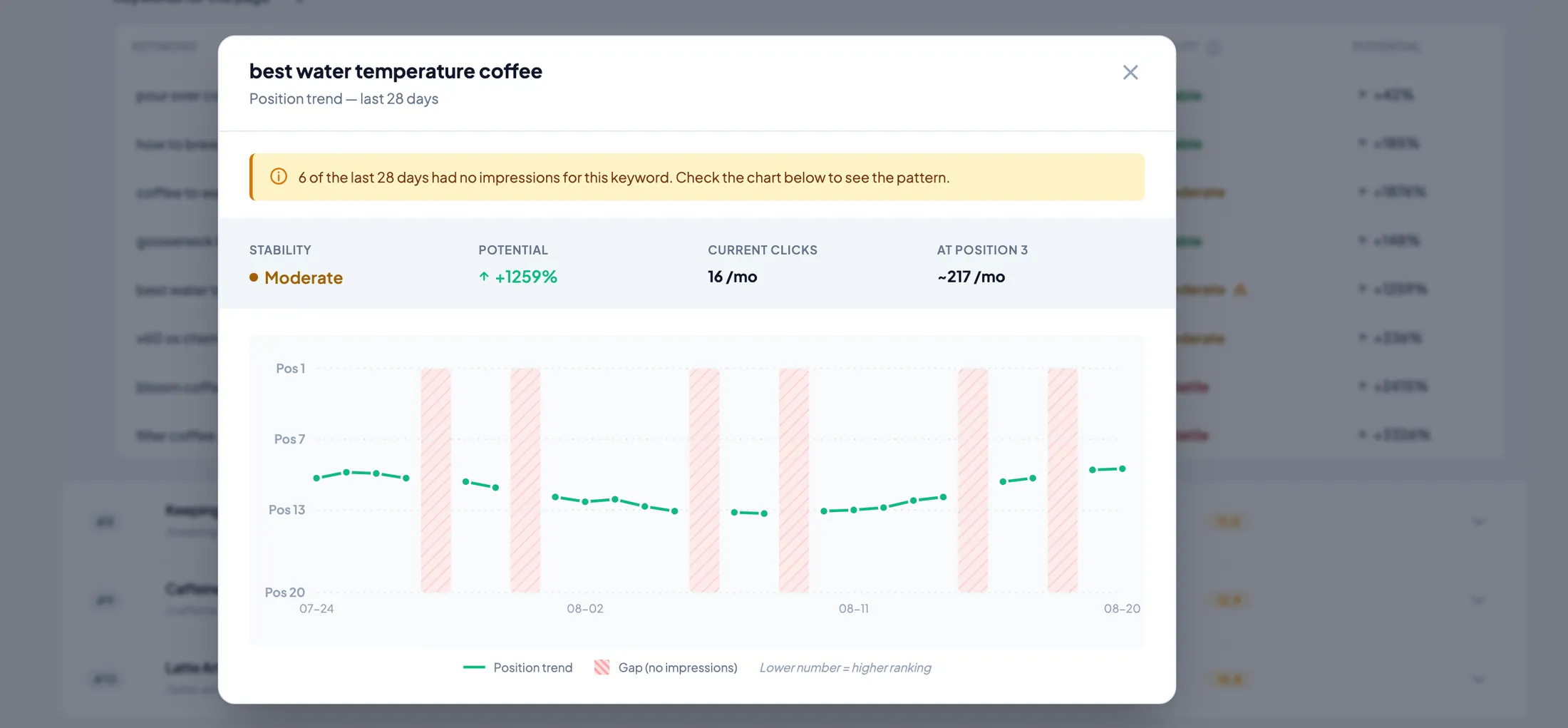
A dip is not always a drop.
Search Console data has holes: days with too few impressions to report. The trend chart marks those gaps instead of drawing a line through them, so you don't chase phantom losses. The line breaks, the gap zone is striped, the stats header tells you how much data is missing.
Page Insights is one piece of TamRank PRO.
Everything on this page
PROPriority Actions
Impact-ordered fixes
SEO Change Tracker
A log per change
PageSpeed + CrUX
Lab and field data
AI SEO Tools
250 to 1,500 credits a month
REST API write + batch
30 writes/min, 50 per batch
AI assistant integration
Your assistant runs TamRank
The full FREE vs PRO comparison lives on the pricing page.
Frequently asked questions
Do I need Google Search Console?
Yes. You connect it once with OAuth, read-only, and pick your property. The free plugin includes the connection and a 7 and 28-day dashboard.
How far back does the data go?
Up to 16 months, the maximum Search Console provides. That covers a full year plus the same season last year.
What does Volatile mean?
It reflects the spread of daily positions over 28 and 90 days. A keyword holding its range is Stable; one swinging across result pages is Volatile. Volatile keywords are the least trustworthy and often the fastest to improve.
How is the uplift % calculated?
It estimates extra clicks if the keyword moved to a better position, based on its current impressions and typical click-through rates at that position, with a confidence tier per estimate.
Where does my data live?
Between your site and Google. TamRank fetches it with your own OAuth connection and stores it in your WordPress database. Nothing is routed through other servers.
Know, instead of guessing.
Per-page Search Console insight, inside WP admin. Part of TamRank PRO.

